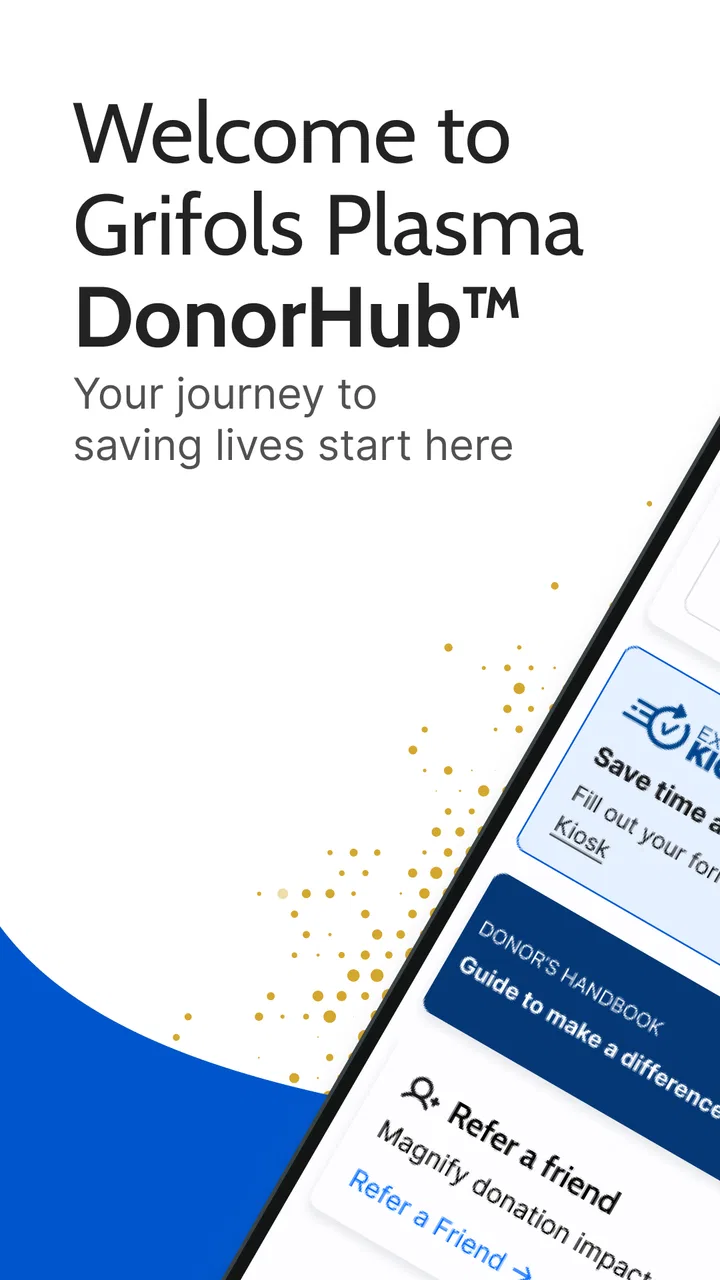
Grifols Plasma Donor Hub
- 4.7
- Rating
- 1.00M
- Installs
- Free
- Price
 Analysis by App-foxy
Choosing a medical app is different from choosing a game or a general wellness tracker. I want it to reduce effort at a moment when I am already managing appointments, personal details, and a visit that may take time. Grifols Plasma Donor Hub is built around that specific situation: it is a free donor-support app from GRIFOLS SA for people who use Grifols plasma donation centers and want a smoother way to handle the donor experience.
My overall impression is that its value depends less on how many features it has and more on whether your donation center and routine fit the app. If you regularly donate at a participating Grifols location, keeping donor-related information in one place can be more useful than relying on memory, paper reminders, or a general calendar. If you are only researching plasma donation, use another provider, or want a broad medical record, this is a much narrower tool.
What I looked for before recommending it
I judged the app using practical questions rather than its store wording. Can it make a recurring donation routine easier? Does it help me prepare before leaving home? Is it focused enough to avoid unnecessary clutter? And does it replace the tools donors actually use, or merely sit beside them?
You May Also Like

 Blood Strike: 2.5 Anniversary
Blood Strike’s Loadouts Turn Every Drop Into a Tactical Gamble
A close look at Blood Strike’s custom loadouts: how fast access to signature weapons reshapes its battle royale rhythm, rewards preparation, and narrows the gap between fights.

 Pandora - Music & Podcasts
Pandora’s Music Is Easy to Start, but Harder to Recover
Pandora’s strength is its low-effort path from a seed to a station. Its weak spot is how much confidence it asks you to place in connection, setup, and quiet recovery.

 8 Ball Pool
 Is Built on Rivalries, Rematches, and Routine
A close look at the rivalries, rematches, shared routines, and unanswered safety questions that turn a quick pool match into a persistent mobile community.

 Samsung Music
’s Quiet Strength Is Playing What You Already Own
Its reach comes less from spectacle than from dependable access to a personal library. That simplicity is both the app’s strongest retention engine and its ceiling.

 AccuWeather: Weather Radar
AccuWeather Review: A Quick, Clear Forecast for Everyday Decisions
For everyday plans, the best forecast is the one you can understand quickly. AccuWeather makes rain timing, radar, and local conditions easy to act on, with a few trade-offs.

 Hill Climb Racing
Why Hill Climb Racing Still Turns Crashes Into One More Run
A tiny car, a bumpy hill and one more upgrade: Hill Climb Racing keeps resurfacing because its simple chaos makes every near-miss feel personal.
More From Our News Desk



That distinction matters because a donor app is not a substitute for medical advice, an urgent-care service, or a complete health record. Its job is more focused: support the administrative and practical side of plasma donation. I would therefore compare it with three common alternatives: the center’s ordinary booking or contact process, a phone calendar, and a general health app. Each option solves a different part of the problem.
A phone calendar is excellent for reminders, but it does not provide a donor-centered place to manage the visit. A general health app may hold broader information, yet it is unlikely to be organized around plasma donation. Calling or visiting a center can still be the most reliable route when a situation is unusual or urgent, but it takes more effort and may leave you without a convenient personal overview.
The first decision criterion is whether you actually donate through Grifols. The developer is clearly identified as GRIFOLS SA, and the product is listed as a medical app rather than a general lifestyle service. That focus is a strength for the right audience, but it also means I would not install it expecting a universal donor diary or a multi-provider healthcare dashboard.
The second criterion is convenience between visits. A useful donor app should help me remember what I need to do, check information without searching through messages, and keep the donation routine from becoming a collection of disconnected steps. Even a simple interface can be worthwhile if it removes repeated friction.
The third criterion is trust and accessibility. The app is free and rated for Everyone, which makes it easy to consider for a wide range of donors. It works on Android devices starting with version 7.0, so people using older compatible phones may not need to replace their device just to try it. On the other hand, compatibility alone does not guarantee that every center, account situation, or donor question will be handled equally well.
How the app fits a normal donation routine
I find the strongest use case is repeated donation, not one-time browsing. Imagine planning a visit after work: instead of searching old messages, checking a paper card, and opening a separate calendar, I would first use the Hub to review the donor-related information available there, then place the appointment or reminder into my normal schedule if needed. That division of labor is important. The app can be the donor-focused reference point, while the phone calendar remains the best tool for alarms and broader daily planning.
A practical habit is to check the app before leaving home rather than only when arriving at the center. That gives me a chance to notice an appointment detail, review the information I need, and avoid treating the reception desk as the place where every question must be solved. I would also keep notifications enabled only if they genuinely help my routine; too many reminders can make a simple process feel noisy, while no reminder at all defeats part of the convenience.
Another useful workflow is to use the app after a visit, not just before one. I would take a moment to confirm that the next piece of donor-related information is clear, then record any personal recovery notes separately if I want them. The Hub should not be treated as a private medical journal. A personal note app or paper log may be better for symptoms, hydration observations, or questions to discuss with qualified staff.
Where this focused design works best
The main advantage is concentration. Instead of forcing donors to adapt a generic calendar or health tracker, the app is intended for the plasma donation journey. That makes it easier to understand why a particular screen exists and what kind of task it is meant to support. I prefer that kind of narrow design when I am completing a recurring process, because unrelated health features can distract from the appointment itself.
It also gives the donor a clearer starting point. A general search engine may return broad information about plasma donation, but broad information is not the same as managing my relationship with a specific donation network. The Hub is more relevant when my question is connected to an upcoming or previous Grifols visit rather than to medical education in general.
The app’s adoption also suggests that it is not an obscure experiment. It has passed half a million installs, with an average rating of 4.7 from roughly 36 thousand ratings and about 4 thousand written reviews. I would not treat those numbers as proof that every donor will have the same experience, but they do make the app easier to justify trying than an untested tool with little visible use.
Its current version is 13.5.0, and the release history begins on November 9, 2021. For me, that places it in the category of an established companion rather than a brand-new concept. Still, an established app can have a specific weakness: updates may improve the general experience without solving a problem tied to one particular center or account. If something looks wrong, I would contact the location or official support route instead of repeatedly reinstalling the app.
Small habits that make it more useful
One non-obvious benefit of a dedicated donor app is reducing the number of places where I store appointment information. I would avoid copying every detail into several apps immediately, because duplicated information becomes difficult to maintain. Instead, I would use the Hub as the source I check first and add only the essential time or reminder to my calendar.
A second tip is to test the app before the day of a donation. Installing it in the parking lot or while already waiting creates unnecessary pressure, especially if I need to sign in, recover access, or understand where a particular detail is located. A short setup session at home lets me discover whether it actually supports my center and whether my account details are ready.
A third trade-off concerns privacy and convenience. Any app connected with a medical or donation relationship deserves the same care I would give other personal services. I would use a screen lock, avoid leaving sensitive information visible on a shared device, and sign out when appropriate. The convenience of having donor information readily available is useful, but it should not encourage careless handling of personal details.
A fourth practical insight is to separate administrative uncertainty from health uncertainty. If I cannot find an appointment detail, the app may help me locate the right information or point me toward the next step. If I feel unwell, have a concerning reaction, or need medical guidance, I would not rely on the Hub as an emergency channel. I would follow the instructions given by qualified healthcare professionals and seek appropriate care.
When a different option may fit better
The app is not the best choice for someone who wants one place to manage appointments across several healthcare providers. A general calendar is more flexible for dentist visits, work shifts, transportation, and family commitments. I would use both only when the donor app contains information I cannot conveniently reproduce elsewhere; otherwise, adding another service may create more maintenance than benefit.
It may also be a poor fit for a donor who visits different organizations or centers and wants a neutral record. A provider-specific app naturally centers on its own donation network. In that situation, a simple calendar plus a private notes system may be easier to keep consistent, provided I am comfortable managing the details myself.
Someone looking for medical education should also set expectations correctly. The app’s medical category does not make it a replacement for a clinician, a diagnostic tool, or a comprehensive explanation of eligibility and reactions. For personal health decisions, I would use information from qualified professionals and the center’s own guidance rather than interpreting an app screen as medical clearance.
There is also a human factor. If I donate rarely and already receive clear reminders through another channel, the extra installation may not save much time. The benefit grows with repetition. A frequent donor can build a routine around a dedicated hub; an occasional donor may find a calendar entry and direct contact more straightforward.
The real cost of switching to it
Because the app is free, the main cost is not money. It is setup time, attention, and the possibility of maintaining another account or notification stream. I would decide whether those costs are worthwhile by asking how often I donate and how often I currently lose time looking for donor information.
Switching does not have to mean abandoning every existing tool. In my view, the least frustrating approach is gradual: install the Hub, confirm that it is useful for my Grifols routine, and keep the calendar for alarms until I trust the new workflow. This avoids a common mistake—deleting the old reminder system before learning whether the new app covers the same practical need.
I would also avoid assuming that the app automatically resolves every center-specific question. A digital hub can organize the experience, but it cannot remove the need for communication when an appointment changes, an account detail is incorrect, or staff need to clarify a situation. The best workflow keeps the app as a convenience layer, not as the only channel I am willing to use.
For a first-time donor, I would install it only after understanding the basic visit process from the center. That way, I use the app to support preparation rather than expecting it to explain every part of donation. For an experienced donor, the decision is simpler: if repeated visits involve avoidable searching or forgotten details, the focused approach is likely worth testing.
My recommendation for different kinds of donors
I recommend Grifols Plasma Donor Hub to regular Grifols plasma donors who want a dedicated place for their donation routine. The free price and Everyone age rating remove obvious barriers, while support for Android 7.0 and later makes it accessible to many older devices. I would especially suggest it to someone who currently relies on scattered messages, handwritten reminders, and memory.
I would recommend a cautious trial rather than an automatic commitment. Install it before the next visit, explore the available donor workflow calmly, and compare it with the way you currently manage appointments. If it saves repeated steps, keep it. If it merely duplicates a calendar entry without adding useful donor context, the simpler setup may be better for you.
I would not choose it as my only health app, my emergency resource, or my universal appointment manager. Those jobs call for different tools. Its strength is narrower and more practical: it is a provider-focused companion for people whose plasma donation routine already belongs within the Grifols network.
In the end, I see this as a sensible convenience app rather than a complete medical platform. Its strong rating, broad installation base, free access, and focused purpose make it an easy option to try, but the real test is personal: does it reduce the small administrative annoyances around your visits? If the answer is yes, Grifols Plasma Donor Hub earns a place on your phone. If your donation activity is rare or spread across providers, a well-organized calendar and direct communication may remain the cleaner choice.
FAQs for Grifols Plasma Donor Hub
01What is the Grifols Plasma Donor Hub app used for?
The Grifols Plasma Donor Hub app is designed to streamline the plasma donation process for donors. It allows users to schedule donation appointments, track donation history, and access vital information about their plasma donations. The app also provides updates on promotions and rewards, making it a comprehensive tool for both new and experienced donors.
02Is the Grifols Plasma Donor Hub app available for both Android and iOS?
Yes, the Grifols Plasma Donor Hub app is available for download on both Android and iOS devices. You can find it on the Google Play Store for Android users and the Apple App Store for iOS users, ensuring accessibility for a wide range of smartphone users.
03How does the app ensure the privacy and security of my personal information?
The Grifols Plasma Donor Hub app takes privacy and security seriously, employing encryption and secure protocols to protect your personal information. The app complies with relevant data protection regulations, ensuring that your data, including donation history and personal details, remain confidential and secure.
04Can I use the app to find nearby donation centers?
Yes, the Grifols Plasma Donor Hub app includes a feature to help you locate nearby donation centers. The app utilizes your device's GPS to show the closest centers, along with their contact information and hours of operation, making it convenient to plan your visits.
05What kind of rewards can donors expect through the app?
Donors using the Grifols Plasma Donor Hub app can benefit from various rewards and promotions. The app provides information on ongoing incentives, such as bonus payments or gift cards, for frequent donors. This makes the donation process more rewarding and encourages regular participation.
Pros
- Easy-to-navigate interface for all users.
- Tracks donation history efficiently.
- Provides appointment scheduling.
- Real-time notifications for donor updates.
- Secure login with multiple options.
Cons
- Limited language options available.
- Occasional bugs in appointment booking.
- Requires frequent updates.
- No offline mode for key features.
- In-app support can be slow to respond.

Grifols Plasma Donor Hub
Gallery